

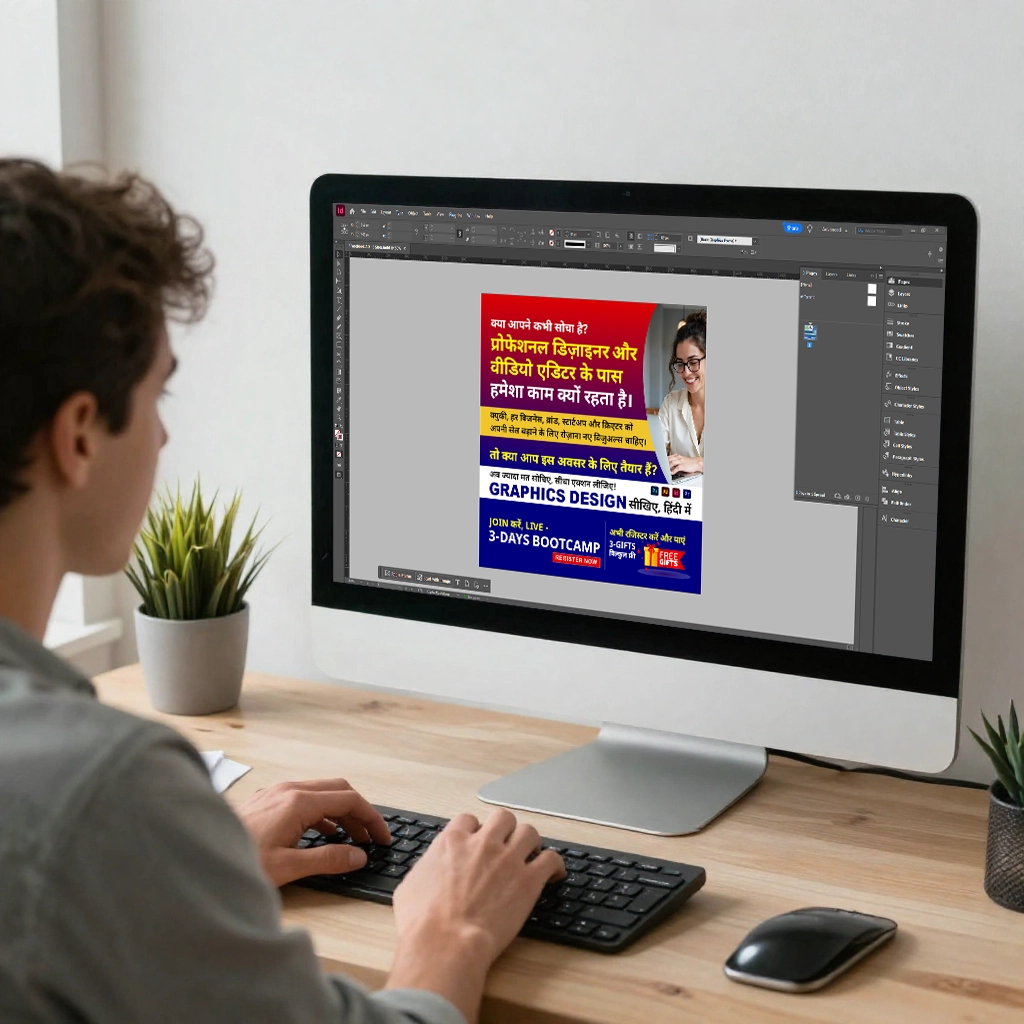









A perfect kickstart to your graphic design journey.

Become a Certified Print & Publishing Expert!📚

Master Adobe InDesign Without Needing Photoshop, Illustrator or Coreldraw for Layouts! 📚

Give your e-Books, Magazine and Documents an 'International' look!

लेआउट डिजाइनिंग की बारीकियां सीखें हिन्दी में, जो बड़े पब्लिशर्स और डिजाइनर्स का सीक्रेट हैं।

 100+ Video Lessons और Live Doubt solving session के साथ, हिन्दी में
assetassetassetassetasset
1,750+  happy learners
asset

Master Adobe InDesign - Beginner to Professional

Instructed by Reeshi Raj Suman
ondemand_video
Easy payment method
payment
Daily guided excercises
groups
Access to private community
Reserve a seat before tonight,  to unlock Bonuses worth ₹6,499.
क्या आप जानते हैं कि-

एक प्रोफेशनल मैगज़ीन, ई-बुक या ब्रोशर का लेआउट Photoshop, Illustrator या Coreldraw में बनाने पर वो 'प्रोफेशनल फील' नहीं आता?

 ⚠️क्या आपकी डिजाइनिंग में वो 'प्रोफेशनल फिनिश' की कमी है?⚠️ 
blur_on

ज्यादातर डिजाइनर्स Photoshop में लेआउट बनाने की गलती करते हैं, जिससे प्रिंट क्वालिटी खराब हो जाती है। क्योंकि Photoshop:

check_circle
Raster (pixel)-based software
check_circle
Unable to maintain quality of fonts and vectors
check_circle
Lack of bleed and cut margins
check_circle
Issues with multi-page layout
check_circle
Poor color management
border_outer

InDesign, Professional Publishing का इंडस्ट्री स्टैंडर्ड का सॉफ्टवेयर है, जो Print और Digital Publishing के लिए बहुत बढ़िया है। इसमें:

check_circle
Precise typography control
check_circle
Easy management of multi-page documents
check_circle
Perfect Print and Bleed Settings
check_circle
Vector-based layouting software
check_circle
Smart Color and Link Management
auto_awesome_motion

यह Adobe InDesign कोर्स आपको सिर्फ सॉफ्टवेयर
ही नहीं सिखाता, बल्कि 'प्रोफेशनल लेआउट आर्ट' बनाना सिखाता है।

check_circle
Understanding of design principles
check_circle
Typography and Color Theory
check_circle
Grid and Layout System
check_circle
Client-ready working style
check_circle
Creative thinking and visual sense
⚡ लिमिटेड सीट्स | 100% प्रैक्टिकल एवं प्रिंट-रेडी लेआउट ट्रेनिंग

क्या एक ही चाबी से हर ताला खुल सकता है?

जिस तरह हर बीमारी का एक इलाज नहीं होता, उसी तरह हर डिज़ाइन के लिए एक ही सॉफ़्टवेयर सही नहीं है।
जानिए सही टूल से 'प्रोफेशनल लेआउट' बनाने का हुनर।

check
लेआउट और टाइपोग्राफी के लिए हमेशा Adobe InDesign या Illustrator का उपयोग करें, और Photoshop को केवल फोटो एडिटिंग तक सीमित रखें।
check
जहाँ Photoshop फोटो एडिटिंग के लिए है, वहीं InDesign टेक्स्ट, इमेज और लेआउट को एक साथ जोड़कर प्रिंट-रेडी फाइल बनाने का सबसे भरोसेमंद टूल है।
check
सॉफ्टवेयर सीखना एक हुनर है, लेकिन लेआउट बनाना एक 'कला'—यह कोर्स आपको ऑपरेटर से एक असली 'डिज़ाइनर' बनाएगा। 'प्रोफेशनल लेआउट आर्ट' बनाना सिखाएगा।
Adobe InDesign, आपको एक साधारण डिज़ाइनर से अलग कर
एक 'Professional Publishing Expert' बनाता है।
keyboard_double_arrow_rightसीखें प्रोफ़ेशनल लेआउट बनाने का सीक्रेट!(Only Rs.3999 Rs. 1999)

🎯 गलत टूल मत चुने, 
InDesign में मास्टरी करें और सही लेआउट बनाएं। 

Course Highlights

check_circle_outline
100+ Video Lessons, in Hindi Language
check_circle_outline
Live Doubt solving session के साथ
check_circle_outline
Join our community of creators mastering the art and execution of high-impact graphic design.
access_time

100+ Video Lessons

Approx. 30 mins each video with practice exercises
sticky_note_2

Certificate

Earn a Shareable Certificate upon completion
manage_search

On Demand

Set deadlines according to your schedule.
group

Community

Get your questions addressed .
 इस कोर्स में आप क्या-क्या सीखेंगे? 
check_circle
लेआउट का आधार: ग्रिड सिस्टम, मार्जिन और ब्लीड (Bleed) सेटिंग्स का सही इस्तेमाल।
check_circle
टाइपोग्राफी मास्टरक्लास: फोंट्स, पैराग्राफ स्टाइल्स और मास्टर पेजेस का जादू।
check_circle
इंटरएक्टिव डॉक्यूमेंट्स: फोंट्स, पैराग्राफ स्टाइल्स और मास्टर पेजेस का जादू।
check_circle
प्रिंट-टू-डिजिटल: फोंट्स, पैराग्राफ स्टाइल्स और मास्टर पेजेस का जादू।
check_circle
डिजिटल पब्लिशिंग: अपने डाक्यमेन्ट को ebook, और epub, flipbook बनाना और इसको online शेयर करना। 
check_circle
AI का use: Gen-AI से नई इमेज और ग्राफिक layout बनाना और पुराने इमेज को ठीक करना। 
पूरा सिलेबस का  Details curriculum नीचे दिया गया है।
keyboard_double_arrow_rightअपनी डिज़ाइनिंग स्किल्स अपग्रेड करें →(Only Rs.3999 Rs. 1999)
एक सिंगल क्लाइंट प्रोजेक्ट से पूरी फीस वसूल।
 हम आपको सिर्फ रिकॉर्डेड वीडियो देकर नहीं छोड़ेंगे!

LIVE मेंटरशिप

check_circle_outline
कोर्स की सबसे बड़ी ताकत है—हमारा Weekly Live Doubt Solving Session.
check_circle_outline
आप जो भी सीखेंगे, उसे प्रैक्टिकल अप्लाई करते समय अगर कहीं अटकेंगे, तो हम सीधे लाइव सेशन में उसे ठीक करेंगे और आगे बढ़ेंगे।
check_circle_outline
यह सिर्फ एक कोर्स नहीं, बल्कि एक 'मेंटरशिप प्रोग्राम' है जहाँ आप अपनी गलतियाँ सीधे मुझसे सुधार सकते हैं।
asset
Adobe InDesign Course किसके लिए है?
यह कोर्स उन सभी के लिए है जो शब्दों और तस्वीरों को एक खूबसूरत और प्रोफेशनल लेआउट में ढालना चाहते हैं:
asset

ग्राफिक डिजाइनर्स:

क्या आप पब्लिशिंग इंडस्ट्री में छा जाने के लिए तैयार हैं? अगर आप सिर्फ सिंगल-पेज डिज़ाइन (जैसे पोस्टर) तक सीमित नहीं रहना चाहते और मल्टी-पेज प्रोजेक्ट्स के ज़रिए अपने करियर को एक नई ऊँचाई पर ले जाना चाहते हैं, तो यह मौका सिर्फ आपके लिए है!
asset

प्रिंटर्स, पब्लिशर्स और एडिटर्स:

अपनी बुक्स, मैगजीन्स और न्यूज़पेपर्स को दें एक प्रोफ़ेशनल लुक! खुद अपनी प्रिंट और ई-बुक्स (eBooks) को डिज़ाइन व फ़ॉर्मेट करें और अपनी क्रिएटिविटी से हर पेज को प्रोफ़ेशनल और अट्रैक्टिव बनाएं।
asset

मार्केटर्स और ब्रांड मैनेजर्स:

अपनी ब्रांड वैल्यू को बढ़ाएं! अपने बिजनेस को दें एक प्रीमियम पहचान! खुद डिज़ाइन करें अपनी कंपनी के ब्रोशर, कैटलॉग, न्यूज़लेटर्स, एनुअल रिपोर्ट्स और बिजनेस प्रेजेंटेशन्स। अट्रैक्टिव न्यूज़लेटर्स बनाएं और इसके ज़रिए ग्राहकों से जुड़े। 
asset

फ्रीलांसर्स:

घर बैठे शुरू करें अपना फ्रीलांसिंग करियर! अपनी स्किल्स को बनाएं कमाई का जरिया! जो Upwork और Fiverr जैसे ग्लोबल प्लेटफॉर्म्स पर लेआउट डिजाइनिंग, बुक फॉर्मेटिंग और रिज्यूम डिजाइनिंग की सर्विसेज देकर शानदार इनकम कमाना चाहते हैं।
asset

स्टूडेंट्स / Beginners:

क्रिएटिव इंडस्ट्री में बनाएं अपनी अलग पहचान! अपने पैशन को दें एक शानदार करियर! जो मीडिया, डिजिटल व प्रिंट पब्लिशिंग, एडवरटाइजिंग या डिजाइनिंग इंडस्ट्री में हाई-पेइंग जॉब्स हासिल करना चाहते हैं।
asset

जॉब स्विचर:

अपनी मौजूदा जॉब से बोर हो चुके हैं? अपने करियर को दें एक नया मोड़! ग्राफ़िक डिज़ाइनिंग में करियर स्विच करें और अपनी क्रिएटिविटी के दम पर पाएं हाई-पेइंग सैलरी और बेहतर ग्रोथ! 
keyboard_double_arrow_rightहाँ! मुझे प्रोफ़ेशनल डिज़ाइनर बनना है!(Only Rs.3999 Rs. 1999)
लाइफटाइम एक्सेस और सर्टिफिकेट के साथ
⚠️Adobe InDesign सीखने के फायदे :⚠️ 
double_arrow
🚀 इंडस्ट्री का "गोल्ड स्टैंडर्ड" टूल :
पूरी दुनिया में पब्लिशिंग और प्रिंटिंग इंडस्ट्री के लिए InDesign को ही स्टैंडर्ड माना जाता है। इसे सीखने के बाद आपके लिए बड़ी मीडिया कंपनियों, पब्लिशिंग हाउसेस और एडवरटाइजिंग एजेंसीज के दरवाजे खुल जाते हैं।
double_arrow
📖 मल्टी-पेज डॉक्यूमेंट्स का राजा:
Photoshop और Illustrator सिंगल पेज या इमेज एडिटिंग के लिए बेहतरीन हैं, लेकिन जब बात 100 पन्नों की किताब, मैगजीन या कैटलॉग बनाने की आती है, तो InDesign का कोई मुकाबला नहीं है। इसके 'Master Pages' और 'Paragraph Styles' जैसे फीचर्स घंटों का काम मिनटों में कर देते हैं।
double_arrow
🔗 Adobe Ecosystem का पूरा सपोर्ट:
यदि आप पहले से Photoshop या Illustrator इस्तेमाल करते हैं, तो InDesign आपके लिए बेहद आसान हो जाएगा। आप बिना किसी झंझट के अपनी फाइल्स को इन सॉफ्टवेयर्स के बीच ट्रांसफर और एडिट कर सकते हैं।
double_arrow
📱 डिजिटल और इंटरैक्टिव डिजाइन्स:
InDesign सिर्फ प्रिंट के लिए नहीं है। आप इसके जरिए इंटरैक्टिव PDF, क्लिक करने योग्य लिंक्स वाले ब्रोशर्स, डिजिटल मैगजीन्स और ई-बुक्स (EPUB) भी बना सकते हैं, जो आजकल टैबलेट और स्मार्टफोन पर काफी पसंद किए जाते हैं।
double_arrow
💼 हाई-पेइंग करियर और फ्रीलांसिंग स्कोप:
मार्केट में अच्छे लेआउट डिजाइनर्स की भारी डिमांड है। बुक फॉर्मेटिंग और मैगजीन डिजाइन के लिए क्लाइंट्स काफी मोटी रकम देते हैं। आप फुल-टाइम जॉब के साथ-साथ घर बैठे फ्रीलांसिंग से भी तगड़ी इनकम कर सकते हैं।
double_arrow
🚀 इंटेरेस्टिंग सॉफ्टवेयर टूल :
यदि आप विजुअल स्टोरीटेलिंग और डॉक्युमेंट और डिजिटल डिजाइनिंग में रुचि रखते हैं, तो Adobe InDesign आपकी क्रिएटिविटी को प्रोफेशनल पहचान देने के लिए सबसे सही टूल है।

Course Curriculum - Adobe InDesign 

16 Module
|
105 Video Lessons
|
Average 20min Each Lession 

Module 1 - Introduction to Adobe InDesign (6 Lessons)

play_circle
This introductory module provides a foundational walkthrough of Adobe InDesign, guiding you from your initial introduction to the software through mastering its core navigation and setup. You will learn to navigate the user interface, create new documents, and customize your layout by arranging panels, tools, and workspaces to suit your workflow. 
play_circle
Additionally, the lessons cover essential navigation techniques using zoom controls to move efficiently around your canvas, as well as configuring global preferences and default settings to ensure a smooth, tailored design environment.

Module 2 - Basic Page Design and Layout (9 Lessons)

play_circle
This comprehensive Adobe InDesign layout design workflow covers essential techniques for creating professional single-page, multi-page, two-page spread, or trifold documents by first establishing proper document architecture—including standard paper sizes, margins, columns, and gutters.
play_circle
Designers learn to structure complex projects using parent pages (master pages) for consistent elements and automatic page numbering, alongside non-destructive layer management for efficient organization.
play_circle
Additionally, the content focuses on advanced typography and image integration, mastering the nuances between standard and primary text frames, applying visual enhancements like drop caps, column rules, and text wrapping, and seamlessly placing and formatting high-resolution imagery to produce polished, publication-ready layouts.

Module 3 - Advanced Text Formatting (9 Lessons)

play_circle
This advanced InDesign workflow focuses on streamlining multi-page publication design by leveraging paragraph, character, table, and cell styles for precise typography and automated layout consistency across a multi-chapter structure.
play_circle
It covers core techniques for organizing extensive long-form documents using InDesign Book files and automated indexing, while enhancing layout precision through dynamic text frame features, frame transformations (such as moving, rotating, skewing, and applying anchor corners), and built-in spell-checking tools.
play_circle
Designed to maximize efficiency, these practices combine powerful formatting shortcuts and structured document management to help designers quickly produce cohesive, professionally typeset books and long documents.

Module 4 - Advanced Page Layout Techniques (15 Lessons)

play_circle
This Adobe InDesign module covers advanced layout structuring, precise object control, and automated document publishing techniques to elevate complex design workflows. Designers learn to establish underlying structural integrity through custom guides, grids, baseline grids, and layer organization, while using the Alignment Panel, Pathfinder tools, multi-shape graphic frames, and QR code generation for intricate visual compositions.
play_circle
It delves deep into sophisticated typography—mastering text threading, multi-level lists, detailed glyphs, fractions, and power-search capabilities using Find/Change across Text, GREP, Glyphs, Objects, and Colors—alongside automated long-document tools like chapter numbering, dynamic section markers, and tables of contents. Finally, it equips designers to effortlessly adapt layouts across various device sizes and print specs using Alternate and Liquid Layout features.

Module 5 - Color Techniques (5 Lessons)

play_circle
Mastering color workflows across digital and print design requires combining exact color spaces, dynamic sampling, layer manipulation, centralized management, and precise output preparation. Designers navigate color diversity by using additive RGB for digital screens, subtractive CMYK for standard four-color process printing, and Spot or Pantone inks to guarantee exact physical color matching.
play_circle
To quickly establish unified palettes, eyedropper and color theme tools allow creators to sample individual pixels and automatically generate cohesive visual schemes from existing images, while color blending modes mathematically mix overlapping layers to craft sophisticated lighting, contrast, and textured visual effects.
play_circle
To maintain brand consistency across complex projects, re-using colors in multiple documents is streamlined using global swatches, cloud asset libraries, and shared palette files that automatically propagate updates to all linked assets. Finally, color separations and channels isolate artwork into individual ink plates—such as CMYK layers and custom spot channels—allowing pre-press technicians to verify registration, trapping, and ink coverage before final physical printing.

Module 6 - Exporting and Printing (6 Lessons)

play_circle
Preparing documents for commercial production and digital distribution relies on a streamlined technical workflow and keyboard efficiency. Preparing for print requires setting high-resolution images (300 DPI), CMYK colors, and standard bleeds, while exporting to a Print PDF with crop marks generates a high-res PDF/X file with precise trim lines for trimming.
play_circle
Conversely, exporting to a web PDF optimizes the file for screens by down sampling images to 72–150 DPI, converting colors to RGB, and reducing file size. To speed up these tasks, a Print Preset for PDF export saves custom compression, mark, and bleed configurations for one-click reuse across projects.
play_circle
For commercial handoffs, exporting a Package file with IDML gathers the primary document, linked graphics, fonts, and a backward-compatible IDML file for print vendors, while InDesign keyboard shortcuts (like W for preview or Cmd/Ctrl + E to export) allow designers to navigate this entire pre-press process rapidly.

Module 7 - Typography and Nested styles (6 Lessons)

play_circle
Preparing documents for commercial production and digital distribution relies on a streamlined technical workflow and keyboard efficiency. Preparing for print requires setting high-resolution images (300 DPI), CMYK colors, and standard bleeds, while exporting to a Print PDF with crop marks generates a high-res PDF/X file with precise trim lines for trimming.
play_circle
Conversely, exporting to a web PDF optimizes the file for screens by down sampling images to 72–150 DPI, converting colors to RGB, and reducing file size. To speed up these tasks, a Print Preset for PDF export saves custom compression, mark, and bleed configurations for one-click reuse across projects.
play_circle
For commercial handoffs, exporting a Package file with IDML gathers the primary document, linked graphics, fonts, and a backward-compatible IDML file for print vendors, while InDesign keyboard shortcuts (like W for preview or Cmd/Ctrl + E to export) allow designers to navigate this entire pre-press process rapidly.

Module 8 - Understanding Graphic (7 Lessons)

play_circle
Managing and processing graphics efficiently in InDesign relies on a seamless combination of link workflows, vector precision, and color control. Placing, managing, and editing linked graphics uses the Links panel (Cmd/Ctrl + D) to monitor external assets and perform live edits in Photoshop or Illustrator, while adding captions automatically extracts metadata into text frames beneath images.
play_circle
Advanced layouts benefit from placing an InDesign file into another InDesign file to nest dynamic, auto-updating layouts, and creating patterns is achieved by repeating vector grids using step-and-repeat tools. Underlying all visual assets are Color Settings, which enforce color management profiles across monitors and print, and masking, which uses vector paths or frames to non-destructively conceal image backgrounds.
play_circle
Finally, understanding Vector Graphics vs. Raster Graphics differences ensures proper asset preparation, as math-based vector graphics scale infinitely without quality loss, while pixel-based raster graphics depend on resolution (DPI) and degrade if over-expanded.

Module 9 - Printing and Proofing Techniques (3 Lessons)

play_circle
From physical press operations to software selection, understanding production workflows ensures high-quality design output. Printing techniques encompass diverse methods of ink application tailored to specific substrates and run sizes, ranging from traditional offset lithography for large-volume print runs and digital printing for quick, low-quantity jobs to screen printing for textiles and flexography for packaging.
play_circle
To catch errors before mass production, proofing techniques validate layout, color, and technical accuracy using soft proofing (on-screen color simulation via ICC profiles), digital hard proofs (high-calibrated prepress prints), and press proofs (actual press tests using final inks and stock).
play_circle
Finally, understanding InDesign vs. Illustrator vs. Photoshop differences ensures proper tool selection across the design pipeline: InDesign excels at multi-page document layout, editorial typography, and prepress publishing; Illustrator focuses on vector graphic creation, logos, and resolution-independent illustrations; and Photoshop specializes in pixel-based photo editing, digital painting, and complex image compositing.

Module 10 - Transparency and Drop Shadows (4 Lessons)

play_circle
Transparency and opacity define an object’s see-through quality—where opacity measures solidness and transparency is its inverse—while feathering softens an object's edges and drop shadows add depth, distinguishing themselves from a tint, which merely dilutes a color's intensity with white without making it see-through.
play_circle
To manage these visual elements, the Transparency Grid uses a gray-and-white checkerboard pattern to reveal empty canvas areas and semi-transparent layers, while the Transparency Flattener breaks down complex overlapping effects into print-ready vector and raster elements, paired with a Preview Panel to catch potential printing artifacts before final output.

Module 11 - Nested & GREP Style (4 Lessons)

play_circle
Advanced nesting techniques in design software—such as nesting frames, anchored objects, and inline graphics—allow creators to encapsulate complex graphic and text elements within one another, while power tools like GREP queries in the Find/Change dialog box enable lightning-fast text processing by searching for complex patterns rather than static words.
play_circle
Building on these pattern-matching mechanics, conditional GREP and Line Styles within a paragraph style automatically apply character formatting to specific text strings or line counts as you type, creating dynamic layout rules; meanwhile, mastering the Pen Tool through interactive platforms like the Bézier Game builds the muscle memory and spatial intuition needed to draw precise curves and vector paths that complement these automated layout systems.

Module 12 - Digital Publishing (10 Lessons)

play_circle
Digital publishing encompasses the creation and distribution of electronic content across web, mobile, and desktop platforms using interactive tools like InDesign to bring static designs to life. Designers can create animations and interactive PDFs by combining motion presets, transitions, hyperlinked elements, and placed audio and video files to deliver rich multimedia experiences.
play_circle
Specialized layouts can feature interactive maps with clickable hotspots, dynamic animated advertisements tailored for web banners, or simulated page-turns by creating flipbooks for digital magazines. Interactivity is further elevated using multistate objects (MSOs) combined with buttons, which allow single layout spaces to toggle between different images or text views at the click of a mouse.
play_circle
Finally, documents can be exported for distribution as fillable PDF forms with interactive text fields and checkboxes, or published as digital books via Fixed Layout EPUBs—which lock pixel-perfect typography and media in place—or Reflowable Layout EPUBs, which dynamically adjust text to fit any e-reader screen size.

Module 13 - Automation & Data Merge (9 Lessons)

play_circle
As a student learning professional design workflows, mastering InDesign's automation scripts will save you countless hours of repetitive work by letting code handle tedious tasks like formatting, layout setup, and bulk editing. You can run these shortcuts using modern script engines like UXP, VBScript, or JavaScript, and adding new capabilities to your workspace is as simple as downloading a JavaScript (.jsx) file and placing it in InDesign's Scripts panel.
play_circle
Paired with Data Merge, you can connect an Excel spreadsheet (CSV format) directly to your template to instantly generate hundreds of personalized pages, such as automating a full-year calendar with auto-filled dates or dynamically placing multiple student photos using image file paths.
play_circle
To top off your smart layouts, InDesign lets you generate custom vector QR codes for websites and plain text, which can also be automated through Data Merge to create unique vCard QR codes for personal portfolio cards, event badges, or business directory projects.

Module 14 - Advanced Techniques and Workflows (6 Lessons)

play_circle
As a design student, mastering the balance between aesthetics, user experience, and efficiency starts with applying core design principles like contrast, alignment, balance, and hierarchy to craft visually appealing layouts, paired with workflow tips and tricks—such as keyboard shortcuts, master pages, and custom workspaces—to dramatically speed up your productivity.
play_circle
You can elevate your documents from static to engaging by learning InDesign's typesetting and typography tools to set professional body copy, headlines, and kerning, while turning those pages into dynamic digital experiences by creating interactive PDFs with clickable buttons, bookmarks, hyperlinked navigation, and page transitions.
play_circle
Finally, ensuring your work is inclusive means incorporating accessibility features—like setting reading orders via the Articles panel, adding Alt Text to graphics, and using proper tag hierarchies—so that your digital documents can be effortlessly navigated and understood by screen readers and diverse audiences.

Module 15 - AI in InDesign (1 Lessons)

play_circle
As a design student, understanding AI in InDesign allows you to combine traditional page composition with modern, time-saving creative automation. Powered by Adobe Firefly, InDesign’s integrated generative AI tools enable you to generate custom, commercially safe visual assets directly within your layout frames using simple text prompts (Text to Image), effortlessly extend backgrounds to fit new frame dimensions (Generative Expand), and seamlessly add, remove, or modify elements within graphics (Generative Fill).
play_circle
Beyond image generation, AI features assist with workflow automation by auto-styling text based on predefined layout rules, generating context-aware Alt Text for screen readers, and assisting with content creation—allowing you to focus less on repetitive manual tasks and more on high-level art direction, layout hierarchy, and creative storytelling.

Module 16 -Tips and Tricks (7 Lessons)

play_circle
As a design student setting up an efficient digital publishing workflow, mastering your core software workspace begins with setting up default presets and preferences before opening a document—such as custom units, swatches, and grid settings—so every new file automatically matches your personal or production standards. From there, you can easily import existing PDF documents directly into InDesign to convert, edit, or repurpose vector and layout content, and use the InDesign Library panel (or CC Libraries) to store and instantly reuse frequently used brand assets, logos, and graphics across multiple projects.
play_circle
Layout automation gets a boost with Smart Text Reflow, which automatically creates or deletes pages as text frames overflow or shrink, while Adobe's latest AI capabilities like Generative Fill & Expand allow you to seamlessly extend canvas backgrounds or add generated visual elements directly within your frames.
play_circle
To stay ahead as a designer, exploring what’s new in InDesign 2025—from Firefly-powered Generative AI capabilities and dynamic Flex Layouts to native MathML support for equations and direct Adobe Express exports—will streamline your workflow; finally, leveraging additional learning resources like Adobe Help tutorials, user forums, and design communities will ensure you continue expanding your technical skillset as you grow. This video covers the major new updates and layout enhancements introduced in Adobe InDesign 2025: Adobe InDesign Updates 2025: New Features You Need to Know!
keyboard_double_arrow_rightअभी एडमिशन लें (सीमित सीटें हैं)(Only Rs.3999 Rs. 1999)

Register before tonight and get 3 bonuses

Worth ₹6,499/- Absolutely Free!

🎁Bonus 1:

asset

Value: ₹3,499/-

Video Course - How to create WhatsApp Video Invitation

🎁Bonus 2:

asset

Value: ₹1,999/-

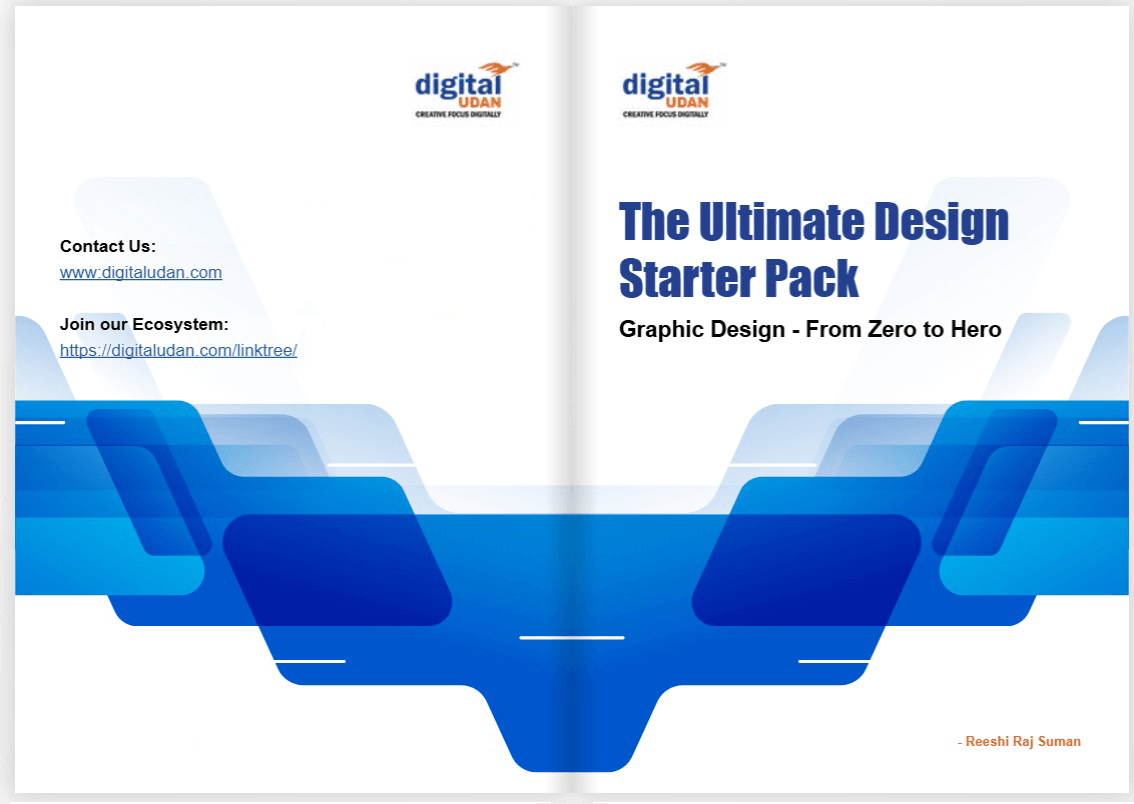
“The Ultimate Design Starter Pack” – e-Book

🎁Bonus 3:

asset

Value: ₹1,001/-

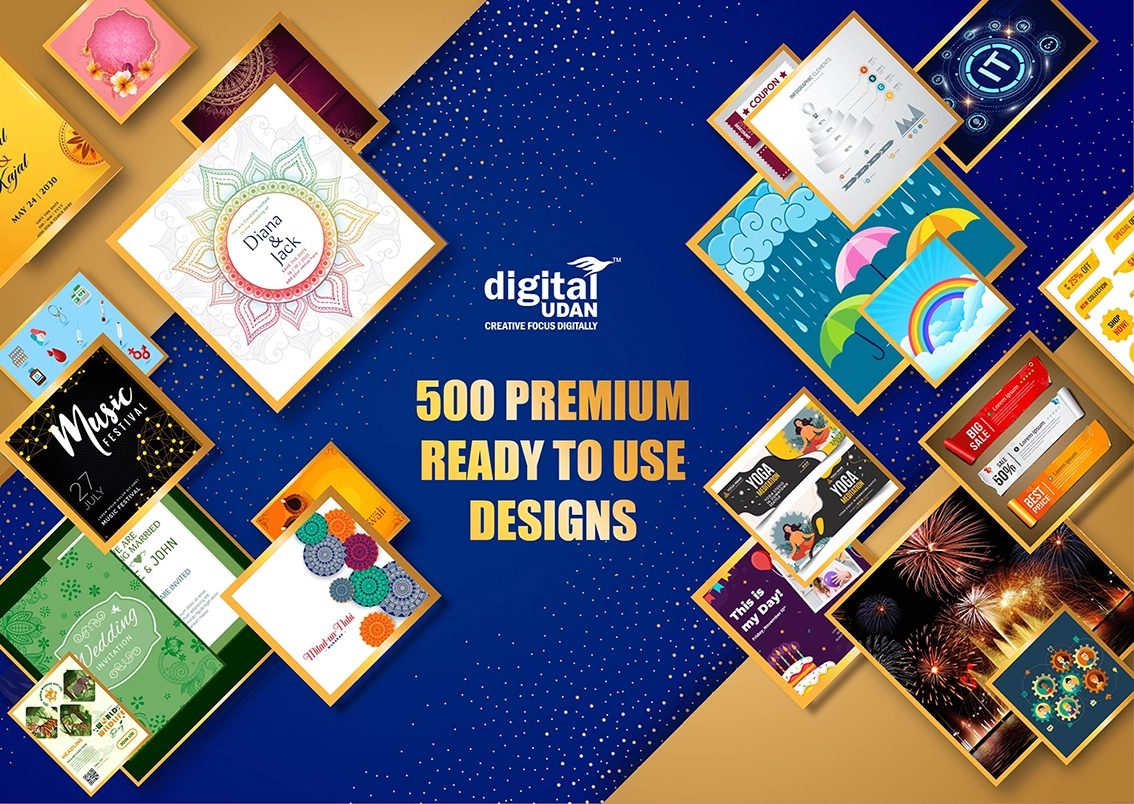
500 Premium Ready to Use Designs + Portfolio Template (AI / EPS / PDF)

keyboard_double_arrow_rightRegister Now (Limited Seat Available)(Only Rs.3999 Rs. 1999)
asset

Meet The Instructer

Reeshi Raj Suman
Graphic Design Manager, Coach, Mentor with 20+ years experience,
Expert in Layout Designing
20 से अधिक वर्षों के व्यावहारिक अनुभव के साथ, मैंने visual communication और layout design की बदलती कला को बेहद करीब से देखा और जिया है। मेरा मानना है कि एक बेहतरीन लेआउट केवल elements को अरेंज करना नहीं है, बल्कि यह कहानी कहने, यूजर को guide करने और brand की पहचान को स्थापित करने का एक माध्यम है। इस Journey में मैंने न केवल बड़े brands के लिए मैगजीन्स, कॉर्पोरेट ब्रोशर्स और डिजिटल इंटरफेस डिजाइन किए हैं, बल्कि डिजाइनिंग के basic principles (Typography, Grid Systems, और Visual Hierarchy) को भी मास्टर किया है।
एक ग्राफिक डिजाइन कोच और मेंटर के रूप में, मेरा मिशन आपको केवल सॉफ्टवेयर टूल्स सिखाना नहीं, बल्कि एक 'डिजाइनर की सोच' (Designer’s Mindset) विकसित करना है। मैं उभरते हुए क्रिएटिव्स और प्रोफेशनल्स को यह सिखाता हूँ कि कैसे जटिल से जटिल जानकारी को एक साफ, आकर्षक और इम्पैक्टफुल लेआउट में बदला जाता है। मेरे मेंटरशिप प्रोग्राम में आपको थ्योरी के साथ-साथ रीयल-वर्ल्ड प्रोजेक्ट्स का अनुभव मिलता है, जिससे आप क्लाइंट्स की जरूरतों को समझकर ऐसे डिजाइन तैयार कर सकें जो न सिर्फ दिखें, बल्कि बिकें भी।
चाहे आप अपने करियर की शुरुआत कर रहे हों या एक अनुभवी डिजाइनर के रूप में अपने लेआउट स्किल्स को निखारना चाहते हों, यह प्लेटफॉर्म आपकी क्रिएटिविटी को सही दिशा देने के लिए है। मेरे साथ जुड़कर आप सीखेंगे कि कैसे व्हाइट स्पेस का सही इस्तेमाल किया जाता है, ग्रिड्स के साथ खेला जाता है और कैसे एक ऐसा पोर्टफोलियो बनाया जाता है जो इंडस्ट्री में आपकी एक अलग पहचान बनाए। आइए, आपके डिजाइन के पैशन को एक सफल और प्रोफेशनल करियर में बदलते हैं।

Want to learn complete Graphic Design Course?

keyboard_double_arrow_rightYes, Enroll Now (Limited Seats Available)(Only Rs.15,999 Rs. 6999)

Testimonial

format_quote
"Before taking an InDesign course, opening the workspace felt overwhelming compared to Photoshop or Illustrator. Learning how parent pages, primary text frames, and character styles work changed everything. I just finished laying out my first 150-page digital catalog with automatic page numbering and a generated table of contents—I can't believe how easy it becomes once you understand the core tools!"
asset
Maya K., Graphic Design Student
starstarstarstar
format_quote
"I was tasked with creating custom event badges and personalized portfolios for dozens of attendees at my internship. Learning InDesign's Data Merge and native QR code generator allowed me to automate the entire project in less than thirty minutes using a single Excel file. My team lead was completely blown away by how efficient the process was!"
asset
Nikhil L., Marketing Designer
starstarstarstarstar
format_quote
"Learning how to add interactive buttons, hyperlinked navigation menus, audio clips, and page transitions inside InDesign turned my standard resume into a fully responsive digital experience. Recruiters specifically complimented how smooth and easy my portfolio PDF was to navigate on their laptops."
asset
Sophia K., Visual Design Student
starstarstarstar
format_quote
"मुझे हमेशा लगता था कि ई-बुक पब्लिश करने का मतलब है कस्टम टाइपोग्राफी से समझौता करना, लेकिन InDesign के EPUB एक्सपोर्ट ऑप्शन के बारे में जानने के बाद मेरी यह सोच गलत साबित हुई। पैराग्राफ टैग, एंकर किए गए ग्राफ़िक्स और लेआउट रिफ़्लो को समझने से मुझे अपनी इलस्ट्रेटेड स्टोरीबुक को Amazon Kindle के लिए फ़ॉर्मेट करने में मदद मिली, और साथ ही मेरा ओरिजिनल डिज़ाइन का मकसद भी बना रहा।"
asset
Aarav S., Publishing Designer
starstarstarstar
format_quote
"I used to manually format every single heading, bullet point, and price tag in my design projects. Once our instructor showed us how to write GREP expressions and nest line styles inside paragraph presets, my workflow speed quadrupled. It shifted my mindset from just 'drawing pages' to building automated design systems."
asset
Radha K., Visual Design Student
starstarstarstar
format_quote
"During my editorial design finals, I needed to change my entire magazine layout from portrait to landscape last minute. Using InDesign’s Generative Expand and Smart Text Reflow, my background images automatically extended to fit the new dimensions, and my copy flowed smoothly onto new pages. Learning how to blend AI tools with traditional typesetting turned a potential disaster into an A+ project."
asset
Rohan S., Digital Media Student
starstarstarstarstar
format_quote
"I used to constantly run into ruined colors and missing font errors when sending files to print. Learning how to properly set up preflight profiles, use the Transparency Flattener Preview, and check color swatches before exporting PDFs gave me complete confidence. Printing my first hardcover portfolio came out pixel-perfect on the very first try!"
asset
Saniya, Graphic Design Student
starstarstarstarstar
format_quote
"For a class project, I created an interactive tourist map of our university. By combining Multistate Objects (MSOs) with custom button triggers, users could click on different campus buildings to pop up photos, history snippets, and audio clips without leaving the page. It made me realize InDesign isn't just for books—it's an interactive UI platform."
asset
Mukesh K., Visual Design Student
starstarstarstar
format_quote
"InDesign में 'Articles' पैनल को सेट अप करना, PDF टैग्स को क्रम में लगाना और ग्राफ़िक्स में सीधे 'Alt Text' जोड़ना सीखने से मुझे 'एक्सेसिबल डिज़ाइन' (सभी के लिए सुलभ डिज़ाइन) की बेहतर समझ मिली। यह जानकर कि मेरे एक्सपोर्ट किए गए PDF को स्क्रीन रीडर आसानी से पढ़ सकते हैं, मेरे पोर्टफ़ोलियो को एक प्रोफेशनल पहचान मिली, जिसने साल के आखिर में हुए हमारे डिज़ाइन शोकेस में जजों को प्रभावित किया।"
asset
Priya K., Web & Media Student
starstarstarstar

Become the Master of Adobe InDesign

Ready to level up?
Purchase before tonight and we’ll throw in 3 premium bonuses, on us.

Frequently Asked Questions

Answers to the burning questions in your mind

क्या यह कोर्स पूर्ण शुरुआती (Beginners) के लिए है या एडवांस डिजाइनरों के लिए?

यह कोर्स Beginner से लेकर Advanced level तक सभी के लिए डिज़ाइन किया गया है। यदि आपने कभी InDesign इस्तेमाल नहीं किया है, तो हम आपको स्क्रैच से (शुरुआती बेसिक टूल्स से) सिखाएंगे। और यदि आप पहले से डिज़ाइनर हैं, तो इसमें आपको AI टूल्स (Gen AI), Automation, Data Merge, Advanced Typography और Digital Publishing जैसे एडवांस स्किल्स सीखने को मिलेंगे।

इस कोर्स को पूरा करने के बाद मुझे क्या सीखने को मिलेगा?

इस कोर्स को पूरा करने के बाद आप एक 'Print & Publishing Design Expert' बन जाएंगे। आप बुक्स, मैगजीन, फ्लेयर्स, कैटलॉग, इंटरैक्टिव PDFs, फ्लिपबुक्स, ई-बुक्स (EPUB), fillable फॉर्म्स, बिजनेस कार्ड्स और ऑटोमेटेड कैलेंडर जैसे प्रोजेक्ट्स आसानी से और पेशेवर तरीके से बना सकेंगे।

क्या कोर्स सीखने के लिए मुझे कोडिंग (Coding) या स्क्रिप्टिंग आने की ज़रूरत है?

बिल्कुल नहीं! InDesign के अंदर स्क्रिप्ट्स और स्वचालन (Automation) का इस्तेमाल करना बहुत आसान है। हम आपको सिखाएंगे कि बिना किसी कोडिंग ज्ञान के भी केवल कुछ क्लिक्स में Excel डेटा से Data Merge, QR Codes और Data-driven Layouts कैसे बनाए जाते हैं।

क्या मुझे कोर्स पूरा करने पर सर्टिफिकेट (Certificate) मिलेगा?

जी हाँ! सफलतापूर्वक कोर्स पूरा करने और असाइनमेंट सबमिट करने के बाद आपको एक इंडस्ट्री-मान्यता प्राप्त Certificate of Completion मिलेगा, जिसे आप अपने लिंक्डइन प्रोफाइल और पोर्टफोलियो पर जोड़ सकते हैं।

अगर मुझे सीखते समय कोई डाउट (Help/Support) होता है तो मैं कैसे पूछ सकता हूँ?

आपको हमारे समर्पित Student Support & Community Forum का एक्सेस मिलेगा। जहाँ आप अपने सवाल, स्क्रीनशॉट या प्रोजेक्ट अपलोड करके सीधे ट्रेनर और साथी स्टूडेंट्स से मदद ले सकते हैं।

क्या यह कोर्स सिर्फ प्रिंट डिज़ाइन सिखाता है या डिजिटल पब्लिशिंग भी?

यह कोर्स प्रिंट (Print) और डिजिटल (Digital) दोनों माध्यमों को कवर करता है। इसमें आप प्रिंट-रेडी फाइलें तैयार करना (Bleed, Preflight, CMYK, Transparency Flattener) तो सीखेंगे ही, साथ ही इंटरैक्टिव PDFs, डिजिटल मैप्स, एनीमेशन, फ्लिपबुक और EPUB जैसे डिजिटल पब्लिशिंग फॉर्मेट्स भी सीखेंगे।

क्या मुझे प्रैक्टिस के लिए फाइलें और प्रोजेक्ट एसेट्स (Practice Material) मिलेंगे?

जी हाँ, बिल्कुल! हर मॉड्यूल के साथ आपको अभ्यास करने के लिए रेडी-टू-यूज़ प्रैक्टिस फाइल्स (Sample PDFs, Excel Sheets for Data Merge, Templates और Images, as per lesson) दी जाएंगी, ताकि आप सीखते समय तुरंत प्रैक्टिकल हैंड-ऑन वर्क कर सकें।

इस कोर्स के लिए सिस्टम/कंप्यूटर की क्या आवश्यकताएँ (Requirements) हैं?

आपके पास एक बेसिक लैपटॉप या कंप्यूटर होना चाहिए जिसमें Adobe InDesign इंस्टॉल हो सके (Adobe InDesign CC का कोई भी हालिया वर्ज़न या 2025 वर्ज़न)। इसके साथ ही एक बेसिक इंटरनेट कनेक्शन की आवश्यकता होगी ताकि आप लेक्चर्स और प्रैक्टिस फाइल्स डाउनलोड कर सकें।

पब्लिशिंग की दुनिया में कदम रखने के लिए तैयार हैं?

अभी एनरोल करें और अपनी डिजाइनिंग में प्रोफेशनल 'स्किल्स' जोड़ें।
Copyright ©2026 Digital Udan